Delivery Services
Most of our books and other collections items, including those in storage, can be delivered using one of the four services described on this page:
- Pickup Service: Items delivered to the front desk of any library location.
- Campus Mail Delivery: Items delivered to an on-campus mailbox.
- Electronic Delivery: Scanned book chapters or journal articles.
- Distance Learner Delivery: Home mail delivery for qualified students.
To request items from other libraries, use our Interlibrary Loan (ILL) service.
Pickup or Campus Mail Delivery
Pickup at a Library Location

Any registered borrower may request that circulating books and media be delivered to any JMU Libraries location for pickup at the service desk.
Campus Mail
Faculty, staff, doctoral and graduate students who have their campus departmental mailbox listed in MyMadison may request items be delivered to their campus mailbox. Please note step #5 below under Steps to request a delivery: select “Work Address” for the pickup location.
Delivery Schedule
Deliveries to library locations and departmental mailboxes are made daily, Monday through Friday, during regular semesters. Most deliveries are processed within 2 working days. There are no deliveries on the weekend or when the library or University is closed.
Submitting a Request for a Book or Other Item
- Find the item in the Library Catalog. For help finding items, please Ask the Library.
- Select the item title.
- If you are not already signed in, select Sign in under the “Get It” heading and sign in using your JMU eID or Community Borrower username.
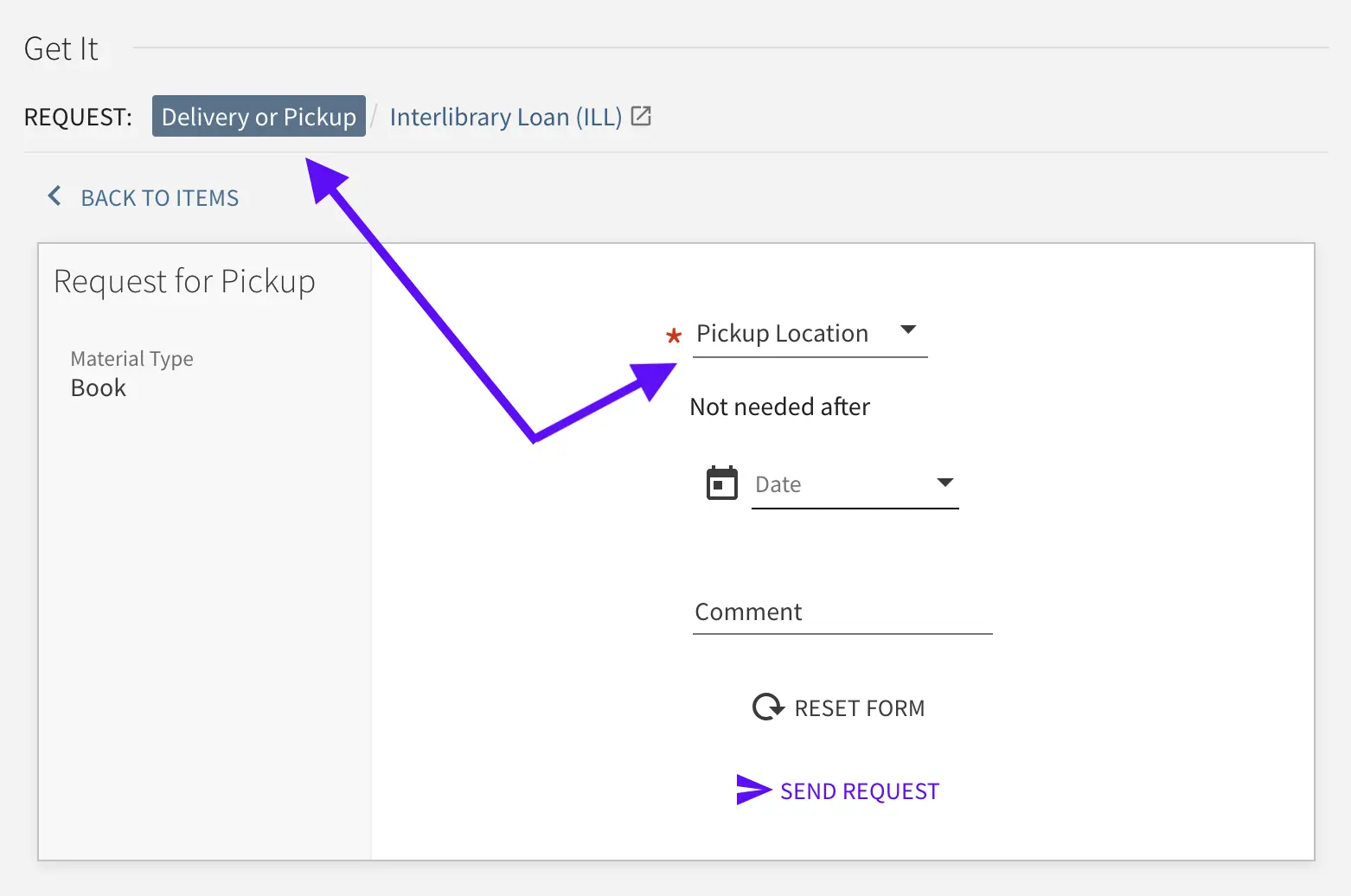
- Select Delivery or Pickup under the “Get It” heading.
- On the Request for Pickup screen, choose your preferred delivery location from the Pickup Location field. For campus mailbox delivery, scroll down and select Work Address.
- Under “Not needed after”, choose the date by which you would no longer want this item.
- Select Send Request.
After submitting your request, you will receive an email with information on how to pick up your materials. In most cases, you will receive this email within one business day of submitting your request (e.g. if you submit a request on Friday, you will probably receive the email on the following Monday).
Delivery of Items in Storage
Some library items are held in storage and can be requested following the “Steps to request delivery” above. If the item you are requesting has a specific volume, year, or edition, please note that information as a comment while submitting the request. If you have any questions when requesting items, please email askthelibrary@jmu.edu.
Interlibrary Loan Items
All of the options noted above are for delivery of items in JMU Libraries’ collections. See Interlibrary Loan delivery options for items outside the Libraries’ collections.
Electronic Delivery
Scan & Deliver: Articles and Book Chapters

Scan & Deliver is a free service that provides JMU faculty, staff, and students with electronic delivery of items from the JMU Libraries’ collections directly to their Interlibrary Loan (ILL) account. Library staff will scan articles or book chapters from physical journals, newspapers, or books in JMU Libraries’ print or microform collections. Digitized files remain available for viewing or download from your ILL account for 30 days.
Submitting a Request
- Log into your ILL account.
(First-time users need to register after logging in.) - Select Article or Book Chapter under New Requests in the Interlibrary Loan menu.
- Submit a separate request for each article or chapter.
Most requests are processed within 24-48 hours. Scan & Deliver is unavailable on weekends and when JMU is closed.
For questions, contact interlib@jmu.edu.
Distance Learner Delivery
Home Mail Delivery for Distance Learners
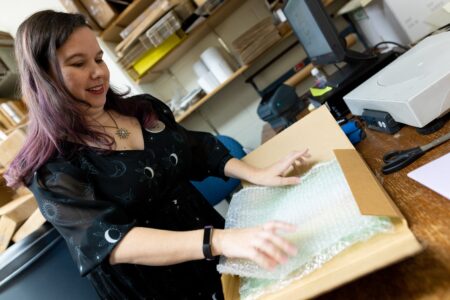
Delivery of both JMU-owned and Interlibrary Loan items to a distance learner’s home address can be requested through their ILL account.
- JMU-owned items are shipped within two business days of the request.
- Items from other libraries will be shipped promptly after JMU Libraries receives and processes them.
Eligibility
To qualify as a Distance Learner you must be:
- JMU instructor or student enrolled in an online course
- and living more than 50 miles from campus
Students on summer break who are not enrolled in a JMU course are not eligible. Students outside the U.S. may only receive JMU-owned items.
Submitting a Request
- Log in to your ILL account.
- Select Account Settings in the ILL menu.
- Enter your complete home address.
- Select Distance Learner in the Delivery Location field.
- Submit a separate ILL request for each item.
ILL staff will confirm delivery address with each newly registered distance learner prior to shipping. Return all borrowed items to JMU Libraries on time using the pre-paid UPS label and shipping pack provided. If you return to campus or are no longer a Distance Learner, update your ILL Account Settings delivery location.
Learn more about online, hybrid, and distance learning support at JMU.
For questions, contact interlib@jmu.edu.